 hailin
b6bb6585d8
hailin
b6bb6585d8
|
||
|---|---|---|
| .. | ||
| .docker | ||
| migrations | ||
| monitoring | ||
| src | ||
| static | ||
| .dockerignore | ||
| .env.sample | ||
| .env.test.sample | ||
| .eslintrc.js | ||
| .gitignore | ||
| .prettierignore | ||
| .prettierrc | ||
| .releaserc | ||
| Dockerfile | ||
| LICENSE | ||
| README.md | ||
| build.js | ||
| docker-compose-multi-tenant.yml | ||
| docker-compose.yml | ||
| fly.toml | ||
| jest-setup.ts | ||
| jest.config.js | ||
| jest.sequencer.js | ||
| package-lock.json | ||
| package.json | ||
| tsconfig.json | ||
README.md
Supabase Storage Engine

A scalable, light-weight object storage service.
Read this post on why we decided to build a new object storage service.
- Multi-protocol support (HTTP, TUS, S3)
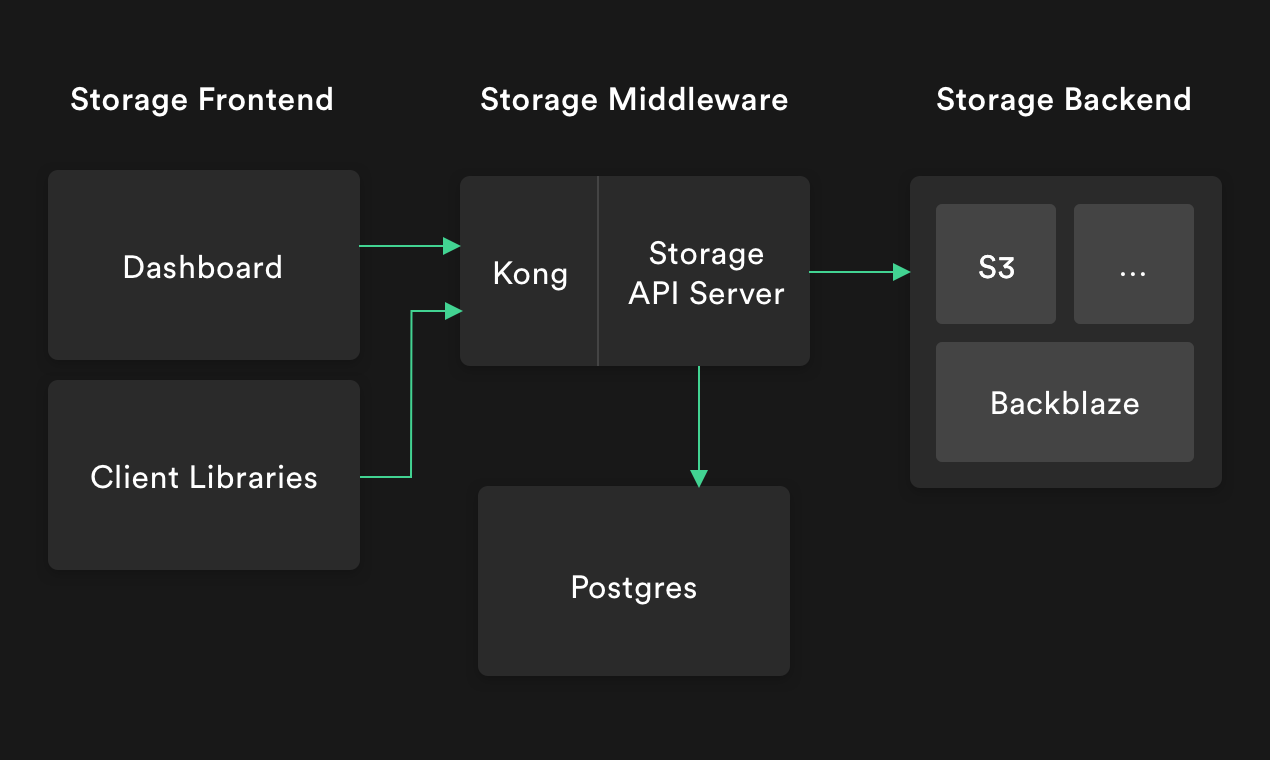
- Uses Postgres as its datastore for storing metadata
- Authorization rules are written as Postgres Row Level Security policies
- Integrates with S3 Compatible Storages
- Extremely lightweight and performant
Supported Protocols
- HTTP/REST
- TUS Resumable Upload
- S3 Compatible API
Documentation
Development
- Copy
.env.sampleto.envfile. - Copy
.env.test.sampleto.env.test.
cp .env.sample .env && cp .env.test.sample .env.test
Your root directory should now have both .env and .env.test files.
- Then run the following:
# this sets up a postgres database and postgrest locally via docker
npm run infra:restart
# Start the storage server
npm run dev
The server should now be running at http://localhost:5000/
The following request should insert and return the list of buckets.
# insert a bucket named avatars
curl --location --request POST 'http://localhost:5000/bucket' \
--header 'Authorization: Bearer eyJhbGciOiJIUzI1NiIsInR5cCI6IkpXVCJ9.eyJyb2xlIjoic2VydmljZV9yb2xlIiwiaWF0IjoxNjEzNTMxOTg1LCJleHAiOjE5MjkxMDc5ODV9.th84OKK0Iz8QchDyXZRrojmKSEZ-OuitQm_5DvLiSIc' \
--header 'Content-Type: application/json' \
--data-raw '{
    "name": "avatars"
}'

# get buckets
curl --location --request GET 'http://localhost:5000/bucket' \
--header 'Authorization: Bearer eyJhbGciOiJIUzI1NiIsInR5cCI6IkpXVCJ9.eyJyb2xlIjoic2VydmljZV9yb2xlIiwiaWF0IjoxNjEzNTMxOTg1LCJleHAiOjE5MjkxMDc5ODV9.th84OKK0Iz8QchDyXZRrojmKSEZ-OuitQm_5DvLiSIc'
Testing
To perform your tests you can run the following command: npm test